This is not a camera comparison. It is a choice between a cloud service you check from anywhere and a private local screen that works when the internet does not.
Disclosure:Swaddle & Stroll is reader-supported. When you buy through links on this page we may earn an affiliate commission, at no extra cost to you. It never changes our picks. How this works.
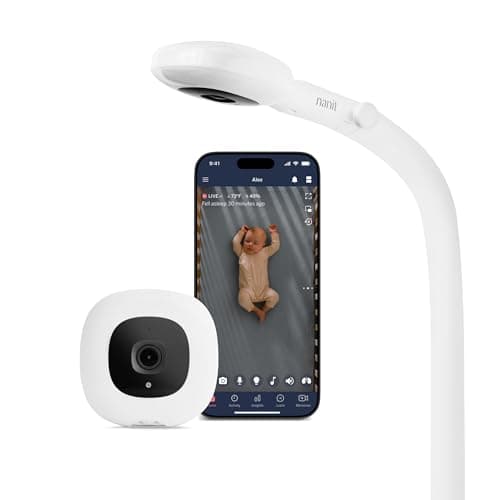
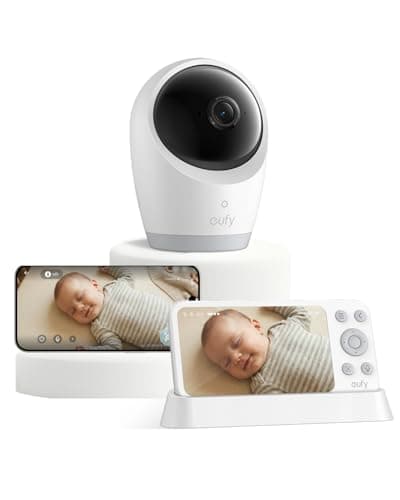
Buy the Nanit Pro if you genuinely want to check on your baby from somewhere other than your home — a restaurant, an office, a grandparent's house — and you will use the sleep tracking. Buy the eufy E21 if what you actually want is a good picture on a dedicated screen in your own house, with an app you can switch on later if you change your mind. The eufy is the better default for most families, because most families think they want remote viewing and then use the screen. The honest third answer is below: if privacy is the deciding factor, neither is the right buy.
Per how we pick, this is a comparison of published capabilities and connection models, not a signal-strength test. We have not measured range in a particular house, because that number is about your walls rather than the product. What we can do is be precise about what each design means for you, which is the part the box copy obscures.
Side by side
Spec
Nanit Pro
eufy E21
Type
WiFi camera, phone app only
Dedicated screen, optional WiFi app
Connection
Internet required for viewing
Local by default; app optional
View
1080p overhead, night vision
High-resolution, pan / tilt, 8x zoom
Away-from-home viewing
Yes — it is the whole point
Only if you enable the app
Smart features
Sleep tracking, sound / motion / cry alerts
Camera controls; no sleep analytics
Subscription
Premium features need a paid plan
No mandatory cloud
Power
Mains-powered camera
Portable battery-powered camera
If your internet drops
You lose viewing
The local screen keeps working
The subscription is a real cost, not a footnote
The Nanit Pro's distinguishing feature is its sleep insights, and its premium features sit behind a paid plan. That is not a hidden fee — Nanit is open about it — but it changes the comparison, because you are not comparing two hardware prices. You are comparing one hardware price against another hardware price plus an ongoing subscription for as long as you want the thing you bought it for.
Our view: the sleep tracking is genuinely well executed and genuinely useful to a specific parent — the one who wants data on whether last night was actually worse or just felt worse. If you are not that parent, you are paying a subscription for a camera. The eufy has no mandatory cloud at all, and that difference compounds over a couple of years.
What “local by default” actually buys you
The eufy E21 runs on a private connection to its own screen out of the box, with the app as something you can add. Three practical consequences, in order of how often they matter.
It works when your internet does not.A router reboot, an outage, a patchy rental WiFi — the local screen is unaffected. A cloud camera in those moments is a dark rectangle.
Nobody has to hold the phone.A dedicated screen can sit on a kitchen counter where both parents see it. A phone app means someone's phone is the monitor, with everything else that phone does competing for it.
The attack surface is smaller when the app is off.A camera not exposed to the internet cannot be reached from the internet. That is not a reason to be smug — the moment you enable the eufy's app, you have a connected camera and the same hygiene applies.
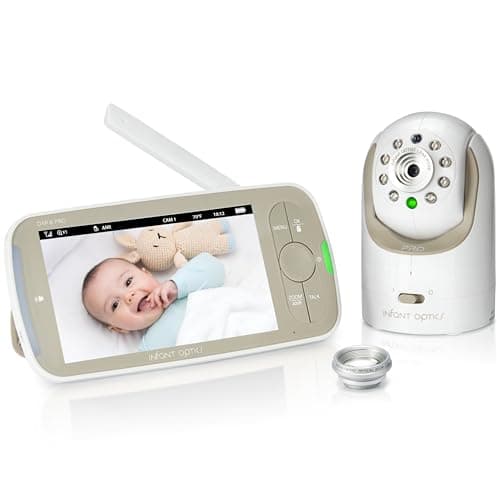
Which brings up the honest third option. If privacy is the thing you care most about, the right answer is neither of these: it is a monitor with no internet capability at all. The Infant Optics DXR-8 PRO is our top no-WiFi pick for exactly that reason — it cannot be reached remotely because it has no remote to be reached from — and it gives you a 5-inch HD screen with interchangeable lenses. What you lose is any ability to check in from outside the house. Our WiFi vs non-WiFi baby monitors guide sets out that trade in full, and Infant Optics vs eufy compares the two screen-based options directly.
If you are set on a smart monitor, read this first
A connected camera in a bedroom deserves the same care as any other internet-facing device in your house. The non-negotiables are short: a unique password you do not use anywhere else, two-factor authentication if the app offers it, firmware updates applied rather than dismissed, and the camera positioned so it sees the crib and not the whole room. None of that is specific to Nanit; it applies to every WiFi monitor including the eufy once its app is on.
If connectivity is already the problem you are having rather than the one you are anticipating, our baby monitor connectivity troubleshooting guide covers the usual causes, most of which are router placement rather than the camera.
Our recommendation, in one line each
Nanit Pro if you will leave the house and want to look in, or you want sleep data and will pay the subscription for it. eufy E21 if you want a sharp picture on a screen that keeps working when the WiFi does not, with the option to add the app later. Infant Optics DXR-8 PRO if the internet is the part you want nothing to do with. All three are in our best baby monitors roundup, and if you are leaning cloud, Nanit vs Owlet and Nanit Pro vs Miku Pro cover the other two smart monitors worth considering before you commit to a subscription.
Runs on a private local connection by default but offers an optional app — a flexible middle path between no-WiFi and full smart monitors, with a sharp camera.
Type
Dedicated screen + optional WiFi/app
Camera
High-resolution, pan/tilt, 8× zoom
Connection
Local by default; app optional
Power
Portable battery-powered camera
What we like
Private local screen with an optional app when you want it
A dedicated-screen, no-WiFi monitor that can't be hacked over the internet — with interchangeable lenses and active noise reduction on a 5-inch HD display.
Type
Dedicated screen, no WiFi (FHSS)
Display
5" HD, pan/tilt/zoom
Privacy
No internet connection — not internet-hackable
Extra
Interchangeable lenses, active noise reduction
What we like
No WiFi means no remote hacking risk
Interchangeable lenses for wide or zoom view
Long-standing reliability reputation
Worth noting
No phone app or remote (away-from-home) viewing
Screen only, single room by default
How it scored
Privacy & security9.6
Video quality8.6
Reliability9.2
Value8.4
Frequently asked questions
Is the Nanit Pro worth the subscription?+
It is if you will use the sleep insights — they are the feature the subscription exists for, and they are genuinely well executed for a parent who wants data rather than impressions. If you mostly want to see the baby, you are paying a recurring fee for a camera, and the eufy E21 gives you a sharp picture with no mandatory cloud at all.
Does the eufy E21 need WiFi?+
No. It runs on a private local connection to its own dedicated screen by default, and the app is optional. That means it keeps working through a router reboot or an internet outage, which a cloud-only camera does not. Turning the app on gives you remote viewing and, from that point, the same security hygiene a connected camera always needs.
Which baby monitor is more private, Nanit or eufy?+
The eufy, as shipped, because it is not exposed to the internet until you enable its app. Once the app is on, both are connected cameras and need the same care — a unique password, two-factor authentication where offered, and firmware updates applied. If privacy is the deciding factor, a monitor with no internet capability at all, such as the Infant Optics DXR-8 PRO, is the cleaner answer.
Can you use the Nanit without the app?+
No — the Nanit Pro is a phone-app monitor with no dedicated screen, so the app is how you view it. That is a real design difference rather than a flaw: it is what lets you check in from anywhere. It also means someone's phone is the monitor, which some households find works fine and others quickly tire of.
Do baby monitors reduce the risk of SIDS?+
No. No monitor — camera, audio, wearable or mat — prevents sleep-related infant death, and the AAP does not recommend home cardiorespiratory monitors as a strategy to reduce SIDS risk. What reduces risk is the sleep environment: baby on their back, on a firm flat surface, in their own sleep space with nothing else in it. A monitor is a convenience, not a safety device.