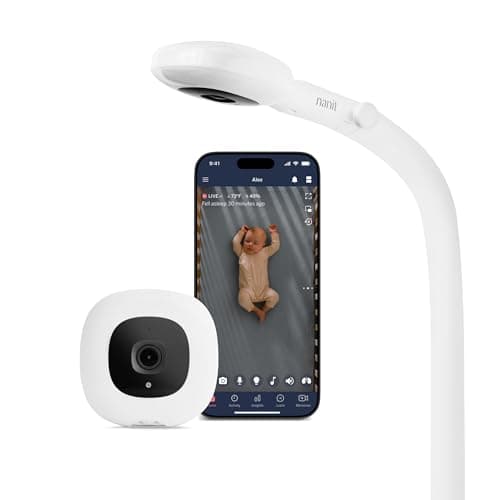
Both of these are premium WiFi baby monitors with a phone app, 1080p overhead video, and night vision, aimed at parents who want more than a picture. The specialties differ: the Nanit Pro leans into sleep tracking and insights, while the Miku Pro adds contactless breathing tracking with no wearable on the baby. Before anything else, one honest point that applies to both: these breathing and sleep features are wellness tools, not medical devices, and no home monitor is proven to prevent SIDS. Safe sleep — back sleeping, a firm flat surface, an empty crib — is what protects your baby; a monitor is for your peace of mind and convenience.
Quick verdict: pick the Nanit if detailed sleep tracking and coaching appeal to you; pick the Miku if contactless breathing tracking without a wearable is the feature you want. We haven't lab-tested either; this leans on published specs and our methodology, the rubric behind our best WiFi baby monitors roundup.
What each one tracks
The Nanit's overhead camera watches the whole crib and turns that view into sleep tracking — how long and how well your baby slept — plus sound, motion, and cry alerts and two-way talk. The Miku uses contactless sensing to estimate breathing and sleep without any band, sock, or clip on the baby, which is its signature draw for parents who want breathing data but don't want a wearable. Both show a clear overhead picture with night vision. If sleep patterns and coaching interest you, Nanit is the deeper tool; if wearable-free breathing tracking is the pull, Miku is built around it.
Subscriptions
This is where the ongoing cost hides. Both offer core viewing without paying, but the advanced analytics — detailed sleep history, insights, longer video history — sit behind a paid membership on each. Factor that recurring fee into the real cost of ownership, because the premium features that make these monitors special are largely the subscription features. If you only want a great live camera and alerts, you may not need the top tier; if you want the data, budget for the membership.
Privacy and security
Both are internet-connected WiFi cameras, which means they can be viewed from your phone anywhere — and it also means basic security hygiene matters. Use a strong, unique password, enable two-factor authentication if offered, and keep the firmware updated. This is the fundamental trade of any WiFi monitor: remote viewing and smart features in exchange for an internet connection you have to secure. If that trade doesn't appeal, a no-WiFi monitor keeps everything on a closed local link; our WiFi vs no-WiFi guide lays out the decision.
Value and who each is for
Both are among the priciest monitors on the market, before subscriptions, so they only make sense if you actually want the smart features. Choose the Nanit Pro for overhead sleep tracking and coaching; choose the Miku Pro for wearable-free breathing tracking. If you just want a reliable view of the crib without the data or the fees, a simpler pick from our best baby monitors roundup will serve you better for less. Check the live prices on the cards below.